
Allow about 4 minutes to read and 6 minutes for the exercises. Reading is estimated at 200 words per minute; optional videos and lab setup add time. All worked output is synthetic.
What you’ll learn
- Explain the role of DNS, DHCP, and IPAM in plain language
- Follow a device from network join to name resolution
- Recognize why disconnected tools create operational risk
DDI is a system, not just three tools
DDI is the practice of managing Domain Name System (DNS), Dynamic Host Configuration Protocol (DHCP), and IP address management (IPAM) as connected services. DNS answers “what address belongs to this name?” DHCP answers “what network settings should this device use?” IPAM answers “which addresses and networks exist, who owns them, and how are they being used?”
Each component can run by itself. The value of DDI appears when the data and workflows stay synchronized. A DHCP lease can update DNS, an IPAM record can reserve the right address space, and operators can investigate an incident without reconciling three separate inventories.
Follow one device through the system
Imagine a laptop joining an office network. It first uses DHCP to obtain an IP address, subnet mask, default gateway, DNS servers, and a lease duration. The allocated address comes from a defined pool that IPAM should understand and track.
When the user opens an internal application, the laptop asks DNS to translate the application name into an address. Dynamic DNS may have already connected the device’s name with its DHCP lease. The result is a chain of data that can be traced from a person or device to an address, a lease, a DNS record, and the network where it belongs.
What integration improves
Integrated DDI reduces duplicate data entry and gives automation a dependable source of network truth. It also makes failures easier to reason about because address allocation, naming, and inventory changes can be reviewed together.
- Fewer duplicate or conflicting IP assignments
- Faster provisioning and deprovisioning
- Clearer ownership and audit history
- Better context for troubleshooting and security investigations
- Consistent policy across sites, data centers, and clouds
The practical mental model
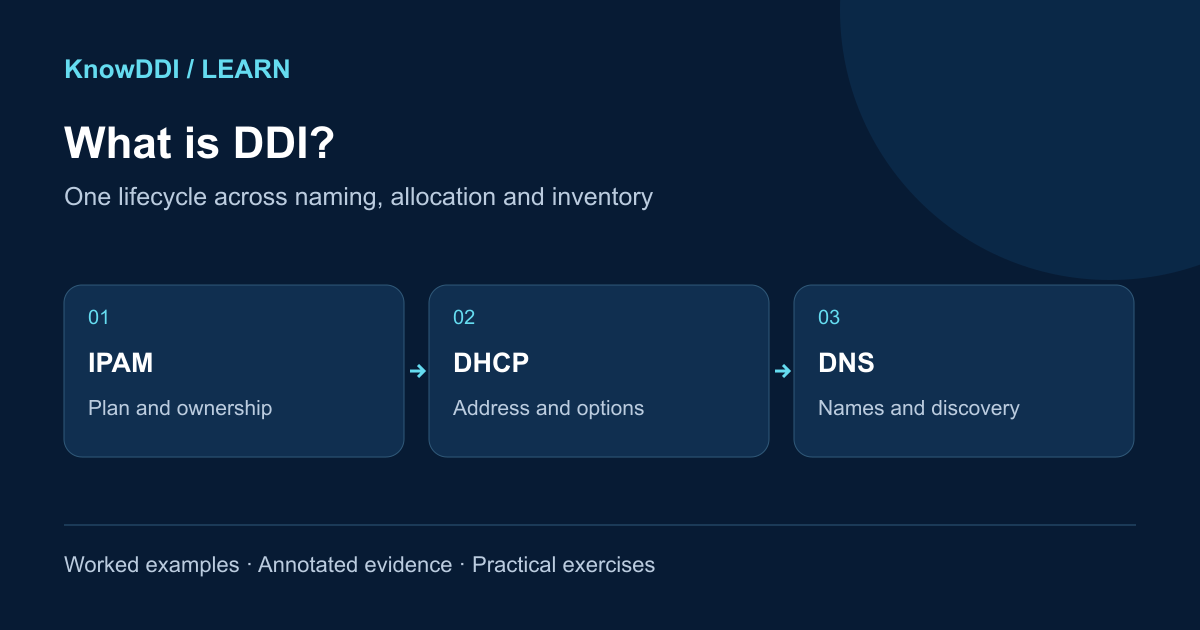
Think of IPAM as the plan and inventory, DHCP as the allocation engine, and DNS as the naming and discovery layer. Healthy DDI operations keep all three aligned. When you learn a DDI platform, focus first on the lifecycle of the data—not the location of buttons in a particular product.
IPAM plans it. DHCP assigns it. DNS helps people and applications find it.
Worked example: one branch laptop, three records
This synthetic lab uses documentation addresses; do not expect these hosts to exist on the Internet. The branch plan is 192.0.2.0/24, gateway .1, DHCP pool .70–.199, and resolver .53. Laptop lab-17 receives .74. The lease succeeds, but the user reports that its name still points to .61.
Keep identifiers and timestamps together. A lease proves an allocation, not that a DNS update succeeded. Compare the client identifier and lease start against the forward record, reverse record, and IPAM ownership before changing anything.
IPAM: 192.0.2.0/24 | owner=Branch IT | state=active
DHCP: lab-17 | client-id=lab17 | address=192.0.2.74 | start=09:00Z
$ dig @192.0.2.53 lab-17.example. A +noall +answer
lab-17.example.  300 IN A 192.0.2.61
$ dig @192.0.2.53 -x 192.0.2.74 +noall +answer
74.2.0.192.in-addr.arpa. 300 IN PTR lab-17.example.- The plan establishes the correct subnet and owner, not which host is currently online.
- The forward lookup and current lease disagree; the reverse record alone does not settle which system owns the name.
- Query the correct authoritative DNS view next. If it also has .61, inspect dynamic-update logs and ownership; if it has .74, investigate cache age.
Practice: reconcile before editing
Spend about six minutes building a four-column note: intended state, observed state, evidence time, and next check. Assume the authoritative A record is also .61 and the DHCP update log says “update refused”.
- Identify which transaction succeeded and which failed.
- Choose the system whose update credentials or record ownership you would inspect.
- Write a verification plan that checks the lease, authoritative A/PTR records, and recursive answers after correction.
Expected reasoning: DHCP succeeded; the forward DNS update failed. Repair the permitted update path and verify both DNS directions. Do not assign a different address just to match a stale record.
Make the lesson stick
Answer these quick questions. A perfect result marks the lesson complete.
References and further reading
KnowDDI lessons are explanatory guides. Standards and primary documentation remain the authority for implementation decisions.