
Allow about 8 minutes to read and 10 minutes for the exercises. Reading is estimated at 200 words per minute; optional videos and lab setup add time. All worked output is synthetic.
What you’ll learn
- Distinguish NXDOMAIN, SERVFAIL, timeout, and a NOERROR response with no matching records
- Choose a useful next test without disabling DNSSEC or changing the wrong DNS view
- Capture evidence that a DNS, network, or application owner can act on
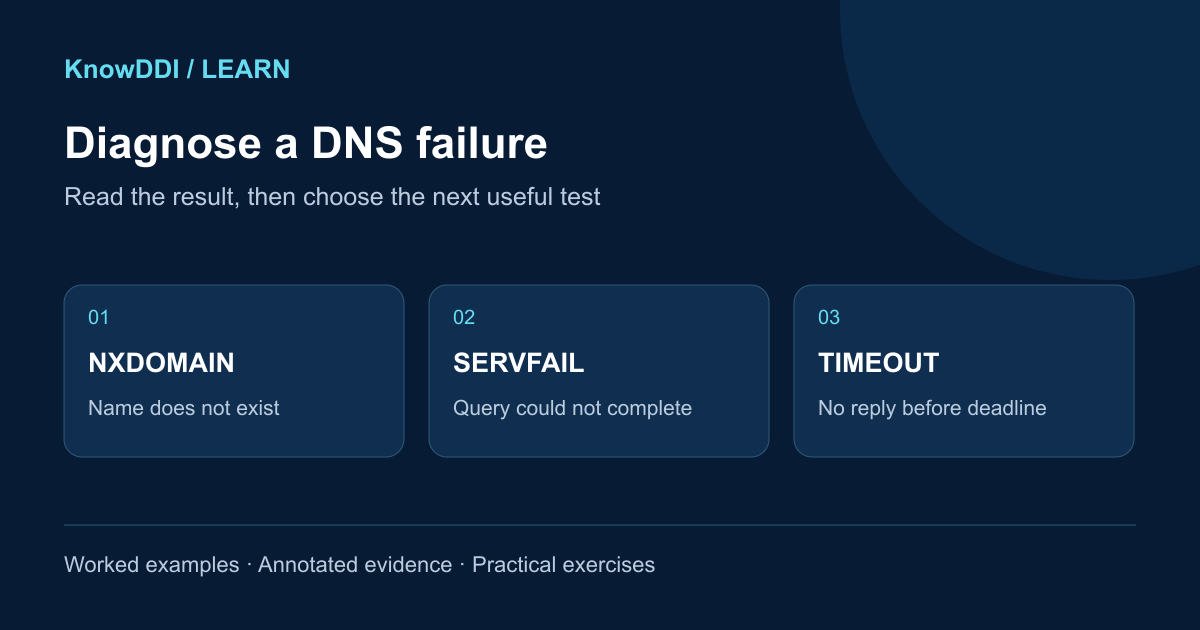
Start with the result you actually received
Two of these outcomes are DNS replies; one is the absence of a usable reply within the client’s deadline. Capture the exact name, record type, resolver, client network, and time before choosing a branch. The existing DDI troubleshooting lesson covers incident scope and closure; this guide focuses on reading DNS evidence.
NXDOMAIN
A DNS reply says the name does not exist. Check the name and DNS view before creating a record.
Next checkCompare the exact name with the intended authority.
SERVFAIL
A DNS reply says the server could not complete the query. It does not identify the cause.
Next checkInspect resolver evidence, delegation, and validation.
Timeout
No usable reply arrived before this client gave up. It is not a DNS response code.
Next checkCompare transport and reachability from the affected client.
Make one query repeatable
Use dig from the affected client, or a host with the same network and resolver access. If the application uses a VPN resolver, encrypted DNS, or its own cache, a command-line test may take a different path. Record that difference instead of assuming the tests are equivalent.
The examples below are shortened, synthetic transcripts. The .example names and 192.0.2.0/24 addresses illustrate a lab; they are not live test targets. Substitute your approved resolver, fully qualified name, and record type. These examples require dig (available with BIND tools).
dig @192.0.2.53 app.example. A +time=2 +tries=1- @192.0.2.53 selects one resolver; the trailing dot makes the name absolute. Keep the resolver and record type fixed while comparing results.
- +time=2 and +tries=1 bound the test’s wait and attempts. They do not change the resolver’s configuration.
- Keep the header status, flags, answer and authority sections, any OPT/EDE detail, and the reported server. +short hides evidence you need here.
NXDOMAIN: check the name, view, and negative cache
NXDOMAIN means name nonexistence, not simply “no A record.” If aliases are involved, inspect the CNAME chain: the missing name may be its final target. Also check spelling, the intended DNS view, and whether a policy is synthesizing the response. A public resolver’s negative answer does not settle whether an internal name exists.
A NOERROR response with no relevant records can instead be NODATA: the name exists but lacks the requested type. Read the authority section too; an empty answer by itself is not enough to distinguish NODATA from a referral.
- Identify an authoritative server for the actual zone and intended view. Query its IP directly with +norecurse, using the same name and type; check for an authoritative response rather than treating a referral as the final answer.
- If the authority now has the record but the resolver still returns NXDOMAIN, compare timestamps and negative-cache state. RFC 2308 derives the original negative TTL from the lower of the SOA TTL and SOA MINIMUM. Resolver policy can impose a shorter limit.
- Capture the negative response before any targeted cache change. Do not repeatedly recreate a correct record or flush every resolver. If results persist beyond ordinary expiry, inspect local overrides, policy, and any serve-stale behavior.
$ dig @192.0.2.53 missing.example. A
;; status: NXDOMAIN
;; ANSWER: 0
;; AUTHORITY SECTION:
example. 120 IN SOA ns.example. hostmaster.example. 2026101001 3600 600 86400 300

$ dig @192.0.2.53 app.example. AAAA
;; status: NOERROR
;; ANSWER: 0
;; AUTHORITY SECTION:
example. 120 IN SOA ns.example. hostmaster.example. 2026101001 3600 600 86400 300- In this synthetic view, missing.example. does not exist. app.example. exists but has no AAAA record; it may still have an A record.
- The SOA TTL of 120 is the remaining negative-cache lifetime in this cached example, not the TTL of a missing A or AAAA record.
The AA flag says the response is authoritative. It does not prove DNSSEC authentication. A validating resolver can authenticate a negative answer without setting AA.
SERVFAIL: ask why the resolver could not finish
SERVFAIL can arise from unreachable authorities, broken delegation, or DNSSEC validation failure, among other causes. Start with the resolver’s logs and any Extended DNS Error (EDE). EDE is optional diagnostic detail, not a replacement for the response code; an absent EDE does not rule out validation trouble. Resolution failures can also be cached, so repeat queries are not necessarily fresh upstream attempts.
Compare the same query against another approved resolver in the same intended view. Then examine the delegation and authoritative responses. A working public resolver is useful context for a public name, but switching an internal client to it can hide the original failure.
- If validation is implicated, inspect parent DS versus child DNSKEY, signature validity times, and the validating resolver’s clock. Preserve the failing normal query for comparison.
- If CD makes no difference, continue checking delegation, authority reachability, and resolver logs. That result alone does not exclude DNSSEC.
$ dig @192.0.2.53 app.example. A +dnssec
;; status: SERVFAIL; flags: qr rd ra
;; OPT PSEUDOSECTION:
; EDE: 6 (DNSSEC Bogus)

$ dig @192.0.2.53 app.example. A +dnssec +cdflag
;; status: NOERROR; flags: qr rd ra cd
app.example. 300 IN A 192.0.2.80- EDE 6 reports a DNSSEC-bogus condition from this resolver. Confirm it with validation logs and the zone’s DS, DNSKEY, and RRSIG data.
- +cdflag requests checking-disabled behavior for this query. An answer only with CD is a lead toward validation, not proof of a particular broken key or signature.
- +dnssec requests DNSSEC records; dig does not itself validate the response. An AD flag is a resolver’s authentication claim, useful only with appropriate trust in the resolver and the path to it.
Use checking-disabled output only as diagnostic evidence. Correct the underlying fault and retest normally; do not disable DNSSEC validation as the fix.
Timeout: test the path and transport
A timeout describes what the client observed, not whether the name exists. The query or reply may be lost, a firewall may drop traffic, the server may be unavailable, or a slow resolver may exceed the client’s deadline. Begin on the affected client rather than judging its path from a remote web tool.
- Confirm the configured resolver, VPN state, route, and DNS service listener. Test another approved resolver and another client, changing one variable at a time.
- Inspect both directions for UDP and TCP port 53 where classic DNS is used. Firewall counters and a permitted packet capture can show whether the query leaves and a reply returns. Ping alone does not test DNS service reachability.
- If both transports time out, investigate reachability and server health. If a response arrives with REFUSED or SERVFAIL, follow that response instead of continuing to label it a timeout.
$ dig @192.0.2.53 app.example. A +notcp +ignore +time=2 +tries=1
;; communications error to 192.0.2.53#53: timed out
;; no servers could be reached

$ dig @192.0.2.53 app.example. A +tcp +time=2 +tries=1
;; status: NOERROR; flags: qr rd ra
app.example. 300 IN A 192.0.2.80- The first command keeps this comparison on UDP; +ignore prevents an automatic TCP retry if a truncated response arrives.
- TCP success shows the resolver can answer this query over that transport at this time. It narrows the investigation toward UDP handling; it does not prove which device dropped a packet.
- General-purpose DNS needs both UDP and TCP support. In normal operation, dig can retry a truncated UDP response over TCP. A small UDP success does not establish that larger responses or TCP work.
Use the public lookup tool as a second viewpoint
Open the KnowDDI DNS lookup tool for a public name you are allowed to query. Choose the same record type and compare the returned records with your local evidence. The tool uses Cloudflare public DNS from KnowDDI’s server; it does not test your client’s route, VPN, or internal DNS view.
The current tool presents records and simplified errors, not complete DNS packets. Its “No answer” message groups missing-name and missing-type cases; it does not show the full RCODE, AA/AD flags, or EDE detail needed to distinguish every branch here. Use dig and resolver evidence for that diagnosis.
Practice: choose the next test, then prove the fix
Allow about ten minutes. For each synthetic case, write the observation, one useful next test, and what that test would establish before reading the suggested interpretation. No lab setup is required; running your own authorized queries takes additional time.
After an approved correction, repeat the original query from the affected client using normal validation, then verify the actual application. Save before/after output with timestamps and recheck the affected scope. An answer obtained only from another resolver or with checking disabled is not closure.
- Case A: the intended authority returns an A record, while one resolver returns NXDOMAIN with a remaining negative TTL of 90 seconds. Which cache or view evidence would you collect before changing the record?
- Case B: a normal query returns SERVFAIL with EDE 6, while the same query with CD returns data. Which validation logs and DS/DNSKEY/RRSIG evidence would you ask for?
- Case C: UDP times out from one client, but TCP to the same resolver succeeds. Where could a query/reply capture narrow the failure? What would you compare on an unaffected client?
Suggested interpretation: A points first to negative caching or a view/policy mismatch; B points toward validation; C points toward transport-specific handling. Each is a lead to test, not a confirmed root cause.
Make the lesson stick
Answer these quick questions. A perfect result marks the lesson complete.
References and further reading
KnowDDI lessons are explanatory guides. Standards and primary documentation remain the authority for implementation decisions.