
Allow about 4 minutes to read and 10 minutes for the exercises. Reading is estimated at 200 words per minute; optional videos and lab setup add time. All worked output is synthetic.
What you’ll learn
- Reduce an incident to a precise failing transaction
- Collect evidence before changing state
- Trace dependencies across DNS, DHCP, and IPAM
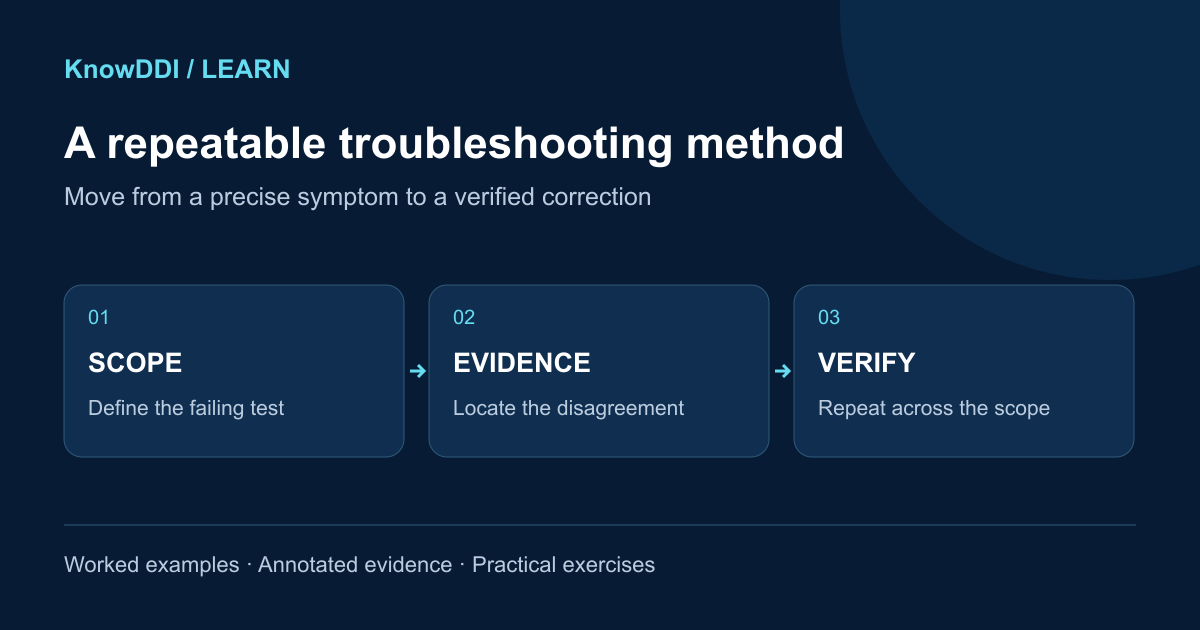
Start by making the symptom testable
Replace “DNS is broken” with a statement that includes the client, time, name or address, record type, resolver, expected result, and observed result. For DHCP, capture the client network, relay path, server, transaction messages, and offered options.
A precise symptom prevents unrelated warnings from becoming the investigation. It also gives you a test you can repeat after each change.
Determine the blast radius
Ask whether the problem affects one client, one subnet, one resolver, one zone, one site, or every path. Compare a failing example with a known-good example. Differences in network location, policy, DNS view, address family, or resolver often reveal the boundary of the fault.
Trace the transaction in order
Follow the protocol path instead of jumping between dashboards. For DHCP, verify client broadcast, relay forwarding, server selection, pool capacity, response, and client acceptance. For DNS, verify client configuration, recursive response, delegation, authoritative data, and validation.
- Record timestamps and the exact command or query
- Capture response codes, server identity, and relevant packet fields
- Compare intended IPAM state with observed DNS and DHCP state
- Make one reversible change at a time
Close the loop
A fix is not complete until the original test passes, the wider blast radius is checked, and temporary changes are removed. Record the evidence that proved the root cause and turn repeated manual checks into monitoring or automation.
Good troubleshooting produces a result another engineer can reproduce—not just a service that happens to be working again.
Worked incident: one VLAN resolves the wrong application
At 10:15 UTC in this synthetic incident, a laptop on VLAN 20 resolves app.example. to 192.0.2.10; the approved target is .20. VLAN 30 works. The application port on .20 is reachable from both networks, so the first testable difference is DNS configuration, not application availability.
The failing laptop’s DHCP ACK specifies resolver 192.0.2.53; the working VLAN uses .54. Keep the ACK, resolver identity, DNS view, response flags and timestamps in the incident record.
$ dig @192.0.2.53 app.example. A +noall +comments +answer
;; status: NOERROR; flags: qr rd ra
app.example. 120 IN A 192.0.2.10
$ dig @192.0.2.54 app.example. A +noall +comments +answer
;; status: NOERROR; flags: qr rd ra
app.example. 120 IN A 192.0.2.20
$ dig @192.0.2.55 app.example. A +norecurse +noall +comments +answer
;; status: NOERROR; flags: qr aa
app.example. 300 IN A 192.0.2.20- The authoritative comparison must use the same intended DNS view. An unrelated public view cannot settle an internal split-DNS incident.
- One low-TTL old answer could be ordinary caching; repeat after its remaining TTL and inspect forwarder/local-zone configuration.
- In this scenario .53 still returns .10 after expiry, and its logs identify a stale local override. That evidence, rather than the first mismatch alone, establishes the fault.
Decision points before making a change
Preserve the evidence first. If both recursive answers agree with authority, inspect client caching or search suffixes. If only one resolver diverges after expiry, inspect that resolver’s policy, forwarders and serve-stale state. If all authorities disagree, investigate zone distribution or a view mismatch.
For this incident, remove the stale override through the approved configuration source and review the change. Keep the previous configuration for rollback. Do not disable DNSSEC or restart all DHCP servers for a naming mismatch.
- SERVFAIL: test reachability, delegation and validation; a response code is a symptom, not a diagnosis.
- NXDOMAIN: check exact name, intended view and negative-cache state before adding a record.
- No DHCP Offer: follow the transaction through client, relay and server instead of changing DNS.
Practice: write a verifiable closure note
Spend ten minutes producing a short incident note with symptom, scope, evidence, change, rollback and validation. Use the synthetic incident above and include a second client on each VLAN.
- Repeat the exact original query through .53 and .54; both should return .20 after the correction and relevant cache expiry.
- Verify the application with its actual hostname and protocol, not only a ping to the address.
- Confirm DHCP still distributes the intended resolver settings and IPAM records the correct service ownership.
- Remove temporary overrides used during diagnosis and propose monitoring for conflicting local-zone records.
Expected closure: evidence identifies the stale override; the controlled correction restores the original transaction across the affected scope. A single successful query is not enough.
Make the lesson stick
Answer these quick questions. A perfect result marks the lesson complete.
References and further reading
KnowDDI lessons are explanatory guides. Standards and primary documentation remain the authority for implementation decisions.